Voronoi Drift: How Computational Geometry Becomes a Living Wallpaper
How Voronoi Drift computes a real-time Voronoi diagram from Perlin-noise-driven seeds — the math, why it appears everywhere in nature, and how it runs smooth.
A Voronoi diagram starts from a deceptively simple question: given a set of points (called seeds) scattered across a plane, for every other point on that plane, which seed is it closest to?
Colour each region by its seed and you get the Voronoi diagram — a mosaic of cells, one per seed, each containing all the territory that belongs to it. The boundaries between cells are exactly equidistant between the two nearest seeds. It's a mathematical way of carving up space into neighbourhoods.
That description sounds dry. The result does not look dry.
Where Voronoi diagrams appear in nature
The reason Voronoi geometry looks organic is that nature uses the same partitioning logic constantly, without knowing it.
Giraffe spots form because skin pigment cells compete for territory during development. Each melanocyte controls the region closest to it, and the boundaries between cells are equidistant from neighbouring cells. That's a Voronoi diagram.
Dragonfly wings are tessellated with irregular cells that follow the same geometry — a network of veins with each cell enclosing the region nearest to its vein junction.
Soap bubbles in a flat foam arrange themselves so that each region is closest to one bubble's centre, and boundaries meet at equal angles. Voronoi again.
Cracked mud on a dry lake bed. Cornea epithelium cells. The distribution of stars in galaxy clusters. The geometry keeps appearing because the nearest-neighbour relationship is one of the most fundamental spatial relationships there is. Any time things compete for local territory, Voronoi geometry is usually hiding in the result.
Making it move
Static Voronoi diagrams are visually interesting. Moving Voronoi diagrams are something else — the cells grow and contract, boundaries arc and sweep, and because the seeds are always in motion, the diagram is never in the same configuration twice.
The trick is how the seeds move. Random jumps would cause boundaries to tear and snap — visually awful. Voronoi Drift drives each seed with Perlin noise velocity: each seed has a slowly evolving direction assigned by a noise field, and moves along that direction. Perlin noise is smooth — adjacent values in the field don't contradict each other — so seeds follow gentle, curved paths and never teleport.
The boundaries between cells, being derived from seed positions, inherit that smoothness. They drift and curve rather than jump.

Voronoi Drift, computed fresh every frame. Browse the collection →
The algorithm underneath
Computing a Voronoi diagram naively — checking every pixel against every seed — scales terribly. Double the seeds and you double the work per pixel. At a hundred seeds and 2560×1600 pixels it's already too slow for real-time use.
Voronoi Drift uses a jump flooding algorithm instead. It starts with seeds marked on a texture, then runs a series of passes where each pixel looks at neighbours at progressively halved distances and propagates the nearest-seed information outward. It converges in log₂(max resolution) passes rather than one pass per seed, which keeps the cost roughly constant as cell count increases within the range the wallpaper exposes.
The output is a texture where each pixel knows which seed it belongs to. A second pass reads that texture, applies per-cell colour, and adds edge highlighting along boundaries — a sharp or soft glow depending on your Edge Sharpness setting.
Three things worth adjusting:
- Cell Count — from a handful of large territories to a dense mosaic. The interesting midpoint is around twenty to forty cells where you can track individual boundaries moving.
- Speed — how fast seeds drift. Slow is geological; fast is cellular mitosis.
- Edge Sharpness — soft edges give a watercolour quality; hard edges look like stained glass.
I run it at around thirty cells with edges sharp enough to read but not so sharp they dominate. The colour-blending per cell handles the rest.
Have a look
Like most things here, the appeal is in the motion. Still frames make it look like a texture; moving, it looks like something breathing.
If you're interested in how other generative wallpapers keep their GPU costs low, how I got a particle flow field to run at near-zero CPU covers the same underlying principle.
Voronoi Drift
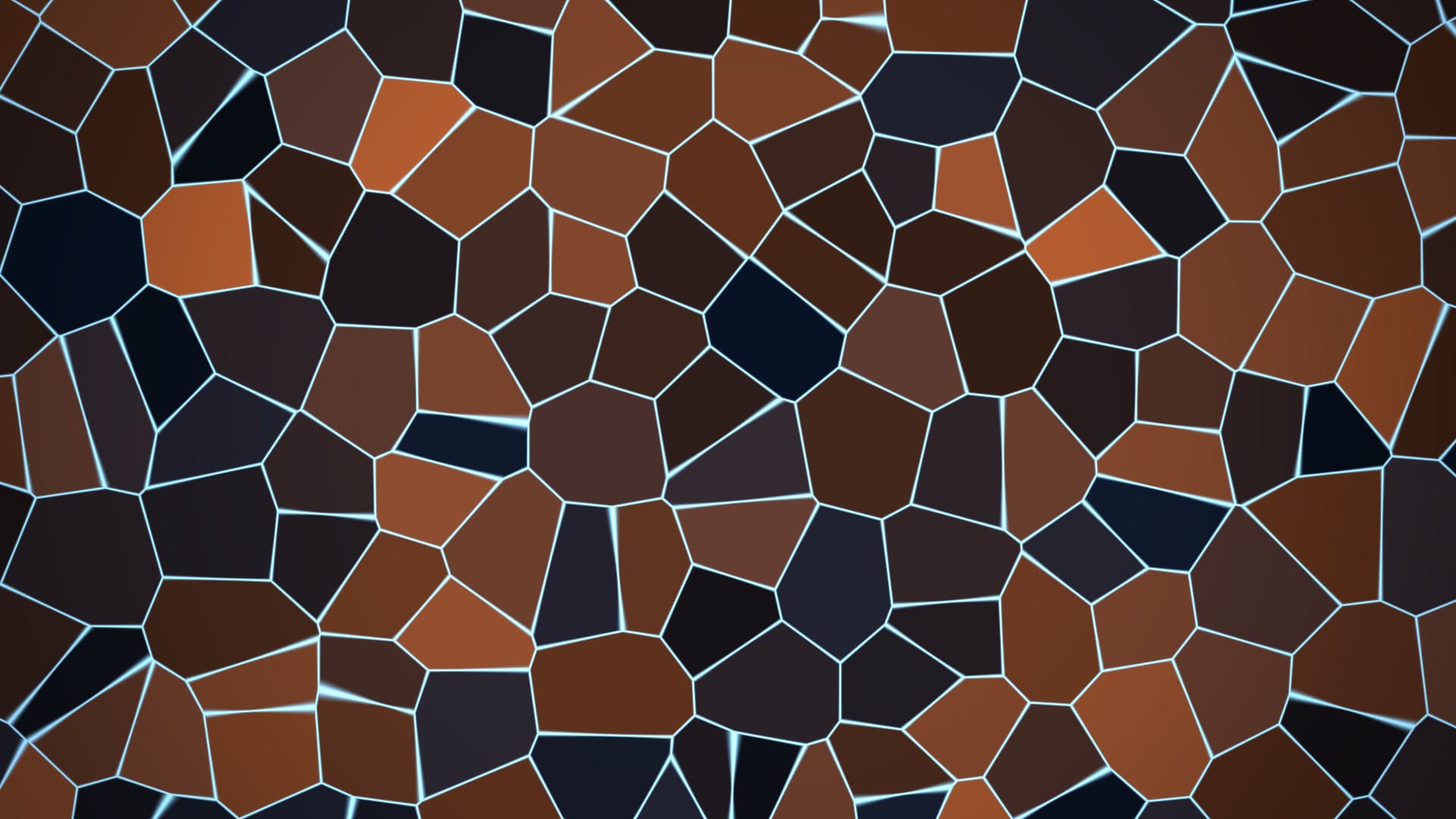
Cells of soft colour drift and jostle across the screen, their glowing edges stretching and snapping as a living Voronoi mosaic reshapes itself. Organic, cellular, quietly alive — like light through frosted glass.
Run this as a live wallpaper with Novaframe
Novaframe is the free desktop engine behind these wallpapers — real-time shaders rendered on your GPU, not video loops. Download it once, then apply anything from the catalogue in one click.
Frequently asked questions
Related articles
Physarum Slime Mold: The Living Network Growing on Your Desktop
Slime mold is one of the most fascinating organisms alive. It has no brain, no neurons, no plan — and it still finds the shortest path. Here's how I put that on your desktop.
4 min readSilk Aurora: What It Takes to Make Light Feel Like Liquid on a Desktop
Silk Aurora's ribbons of teal and violet never tear, never z-fight, and never repeat. Here's how a single 2D fragment pass pulls that off.
4 min readLorenz Attractor: Chaos Theory Running Live on Your Desktop
The Lorenz Attractor wallpaper solves actual differential equations in real time. Here's why the butterfly wing never repeats — and why that's the whole point.
4 min read