Minimalist Desk Setup: Adding Motion Without Distraction
How to use subtle live wallpapers to elevate your workspace aesthetic without destroying your focus or eating up system resources.
Minimalist desk setups focus on one core principle: eliminate noise so you can focus on the work that matters.
For a long time, that meant live wallpapers were off-limits for minimalists. Traditional animated wallpapers were loud, fast, hyperactive, and constantly fought for your visual attention.
However, motion on a desktop doesn't have to be loud. When done right, ambient motion turns a static desktop into a living canvas that feels quiet, refined, and grounding.
Here is how to bring subtle motion into a minimalist setup without destroying your workflow.
Rule 1: Match the Velocity to the Task
Movement draws the human eye naturally. If a wallpaper has high-velocity motion—like fast-moving particles or rapid color flashes—your brain will process it as a distraction every time you minimize a window.
For a workspace setup, you want low-velocity ambient motion. Movement should be slow enough that you only notice it when you take a breather from typing.
Wallpapers like Isometric Cube Field use slow geometric wave math to create depth without drawing immediate eye focus.
Rule 2: Turn Your Background Into a Subtle Utility
Instead of choosing decorative animation, minimalists often prefer wallpapers that combine form and function.
- Pomodoro Ring places a clean focus ring on your desktop that drains smoothly over a 25-minute sprint. You can check your remaining focus time without keeping a timer app floating over your code or documents.
- World Clock Trio displays three analog clock faces tracking time zones for remote teams (e.g. London, New York, Tokyo) directly on your background.
Rule 3: Don't Compromise Light Mode Setups
Most live wallpapers are dark by default, leaving light-mode users with very few options.
If your workspace uses a clean, light setup with wood tones, cream desks, or light UI themes, look for light-mode wallpapers built with soft pastel palettes:
- Paper Ocean: A low-poly paper boat floating on soft blue waves under a warm sun.
- Sakura Wind: Soft cherry blossom petals drifting across a dusk gradient.
Rule 4: Zero Resource Waste When Working
The ultimate test of a minimalist live wallpaper is that it gets out of your way when you are working.
The Novaframe Engine detects when any application window covers your desktop and immediately pauses rendering. Your Mac or PC uses zero CPU and GPU resources for the wallpaper while you are active in your browser, IDE, or editor.
Explore the full collection of minimalist live wallpapers on the Novaframe Marketplace.
Paper Ocean
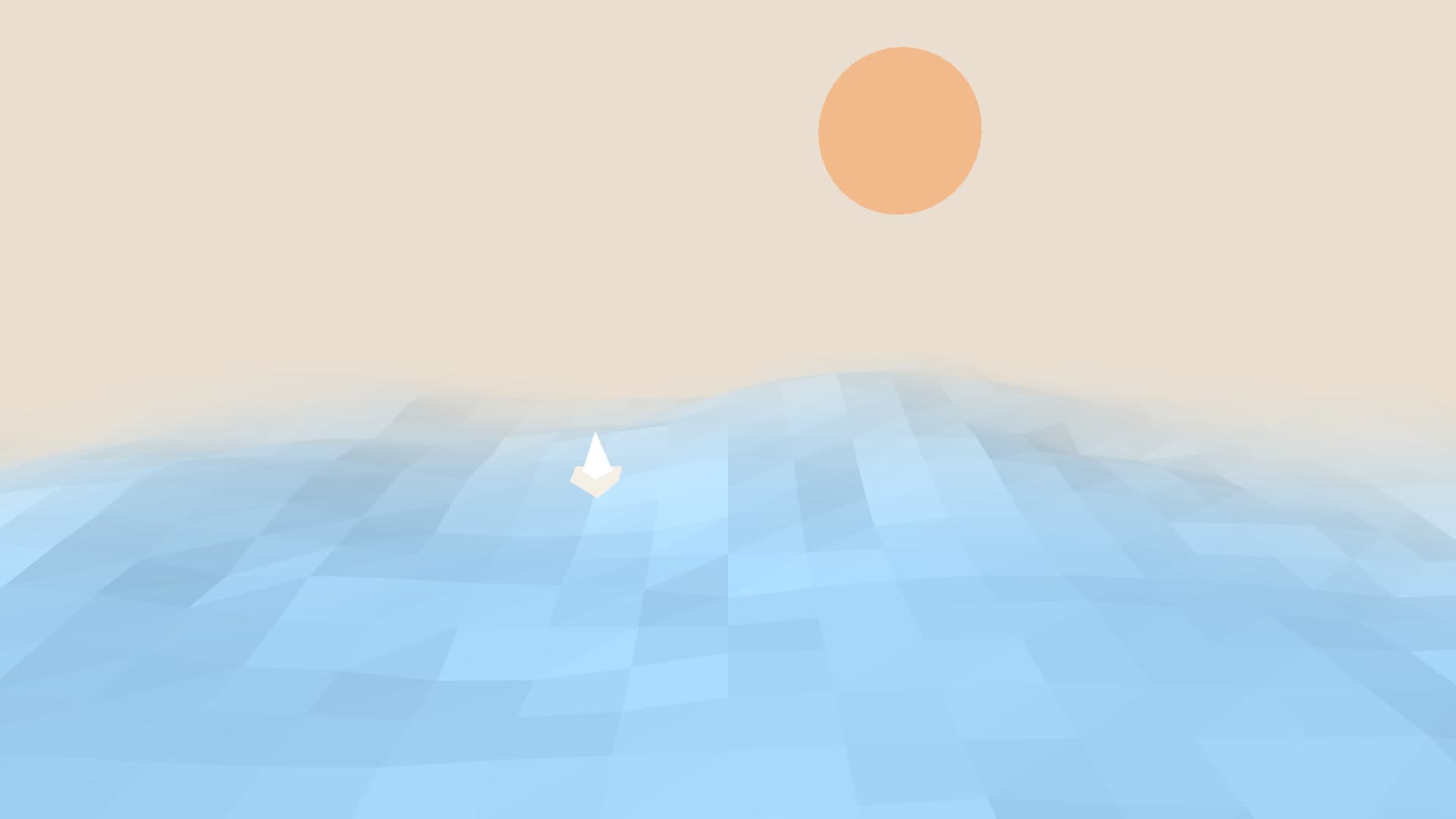
A stunning 3D papercraft aesthetic. Stylized ocean swells catch dynamic studio light and cast beautiful soft shadows. Choose your paper tint, light hue, wave height, and swell speed. Pure visual poetry.
Run this as a live wallpaper with Novaframe
Novaframe is the free desktop engine behind these wallpapers — real-time shaders rendered on your GPU, not video loops. Download it once, then apply anything from the catalogue in one click.
Frequently asked questions
Related articles
macOS Sequoia Wallpaper Keeps Resetting to Default? Here Is the Permanent Fix
Fix the persistent macOS Sequoia bug where custom desktop wallpapers revert to default after reboot, sleep, or external monitor disconnect.
4 min readDual Monitor Live Wallpapers on Mac: Performance, Clamshell & Setup Guide
Everything you need to know about running live, animated wallpapers on Mac multi-monitor setups, external 4K displays, and clamshell mode.
4 min readDoes Rainmeter Work on Mac? Best macOS Alternatives in 2026
Rainmeter does not run on macOS. Explore the top native Mac alternatives for desktop customization, widgets, system stats, and GPU-accelerated live wallpapers.
5 min read